
GIF Download for Krikey AI 3D GIF maker: The Ultimate Animated GIF Maker
With Krikey AI 3D GIFmaker you can customize your 3D cartoon character, animate it, add facial expressions and download GIF files in seconds. Try our animated gifmaker and gif generator to make animated gifs.
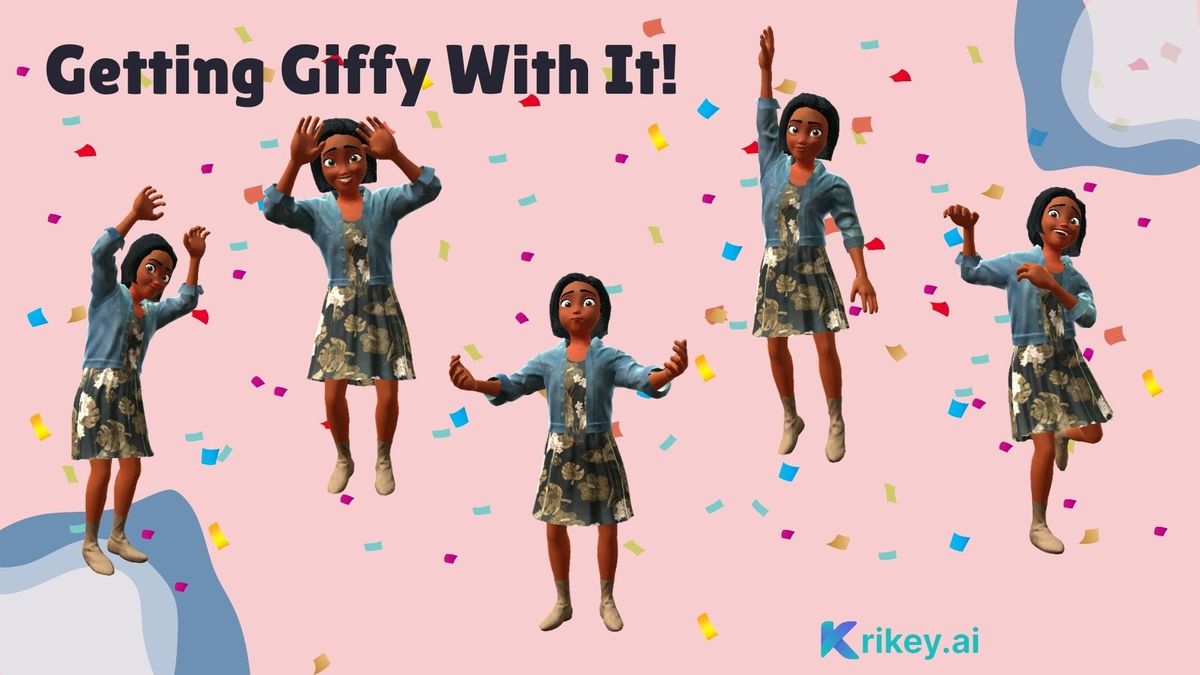
A picture is worth a thousand words, and a GIF tells the whole story. With the rise of GIFs in the workplace, the stakes are higher to find the perfect one to convey your message! Whether in a work presentation, on social media, or in a WhatsApp message, the world is full of GIFs, yet it's hard to pick one to send. Could you create your own 3D Animation and use a GIF download to use it anytime?
With Krikey AI 3D GIF maker, you can customize your 3D cartoon character, animate it, add facial expressions, change animation speed, and download GIF files in seconds. It's easy, personalized, and the perfect way to express your feelings from Christmas gifs to Birthday gifs to Bunny gifs - Krikey AI GIF download has you covered!
Key Takeaways
1. Create Custom Animated GIFs in Minutes: Turn your videos into 3D character animations using our AI GIF maker, or choose from pre-built animations to design stunning GIFs without technical skills.
2. Personalize Every Detail: Customize characters, facial expressions, hand gestures, backgrounds, and animated text to make each GIF uniquely yours.
3. Download and Share Instantly: Export animated graphics in GIF format with one click and share across social media, presentations, messaging apps, and more.
4. Convert Videos to Animated GIFs: Upload your own video footage, and our converter will generate 3D character animations that match your movements.
5. Free Online Video Editor: Access our browser-based GIF generator with no downloads required – create, edit, and make professional GIFs for free.
AI GIF Maker Creates Professional Animated Graphics
To create a GIF using Krikey AI, first go to www.krikey.ai - it’s free to use and all you need to do is click the 'Get Started' button. Once you have the 3D video editor open, navigate to the left-hand bar of icons and click on the "Characters" icon. Pick your favorite character – maybe the Easter bunny for an Easter gif or Bunny gif ideas — maybe the Elf for a Merry Christmas gif or maybe your own custom cartoon character for a Happy gif. You can create transparent GIF background files in seconds with custom characters, animations and facial expressions.
Next, use the camera angles to zoom in on the character’s face (especially if you are aiming to make an emotional gif). This enables you to add facial expressions. On the left-hand bar, click on the facial expressions icon and then select different options from the menu. Now, in one click, with a custom cartoon character, you can make a Happy GIF, Crying GIF, Sad GIF, Thinking GIF, Angry GIF and more. You can easily change the camera angle, frame delay and cartoon character to get the perfect GIF download.
Convert Video to Animated GIFs with Our Online Video Editor
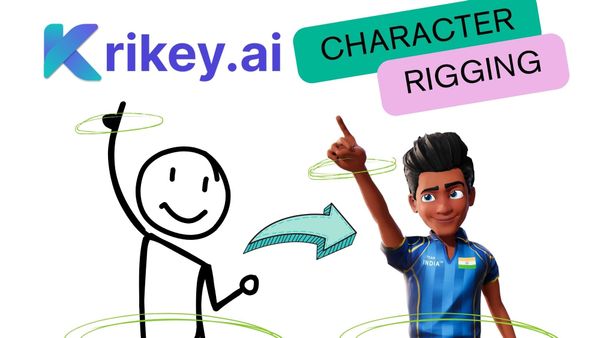
Krikey AI also has a unique AI Video to Animation tool. his enables you to upload your own video, such as one of yourself dancing. Then you can click generate and convert your dance video into a 3D character animation. This is perfect for creating a Jumpscare GIF, a Dancing Skeleton GIF or even Funny dance gifs and Anime dance GIFs. This tool is similar to Ezgif, but more customized for your video animation ideas.
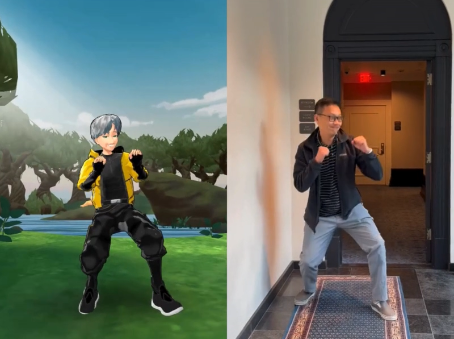
To achieve the perfect conversion from video to animation, ensure that your entire body is within the video frame, no sudden camera cuts, flowing clothing or dark lighting. The AI algorithm can extract your body movements and apply them to a 3D character allowing you to create awesome GIFs and easily access GIF downloads when you are ready.
Our video animation gif generator works best for creating GIFs when you upload or create video files. Images or image files won't work though you can use them in the background of the animated GIF Unlike imgflip, this tool specializes in creating video animation GIFs.. Once you have your perfect frames you can resize, crop and easily change the size of your animation animated GIF.

GIF Generator Offers Customizable Backgrounds and Scenes
Before downloading a GIF from Krikey AI, consider using our video editor to change the cool backgrounds. To do this, go to the Scene icon on the left-hand bar of icons. Within the scene, there is a category called 'World'. Click on World, and a variety of 3D backgrounds will appear in a menu. You can select from these to change the setting behind your character in the GIF.
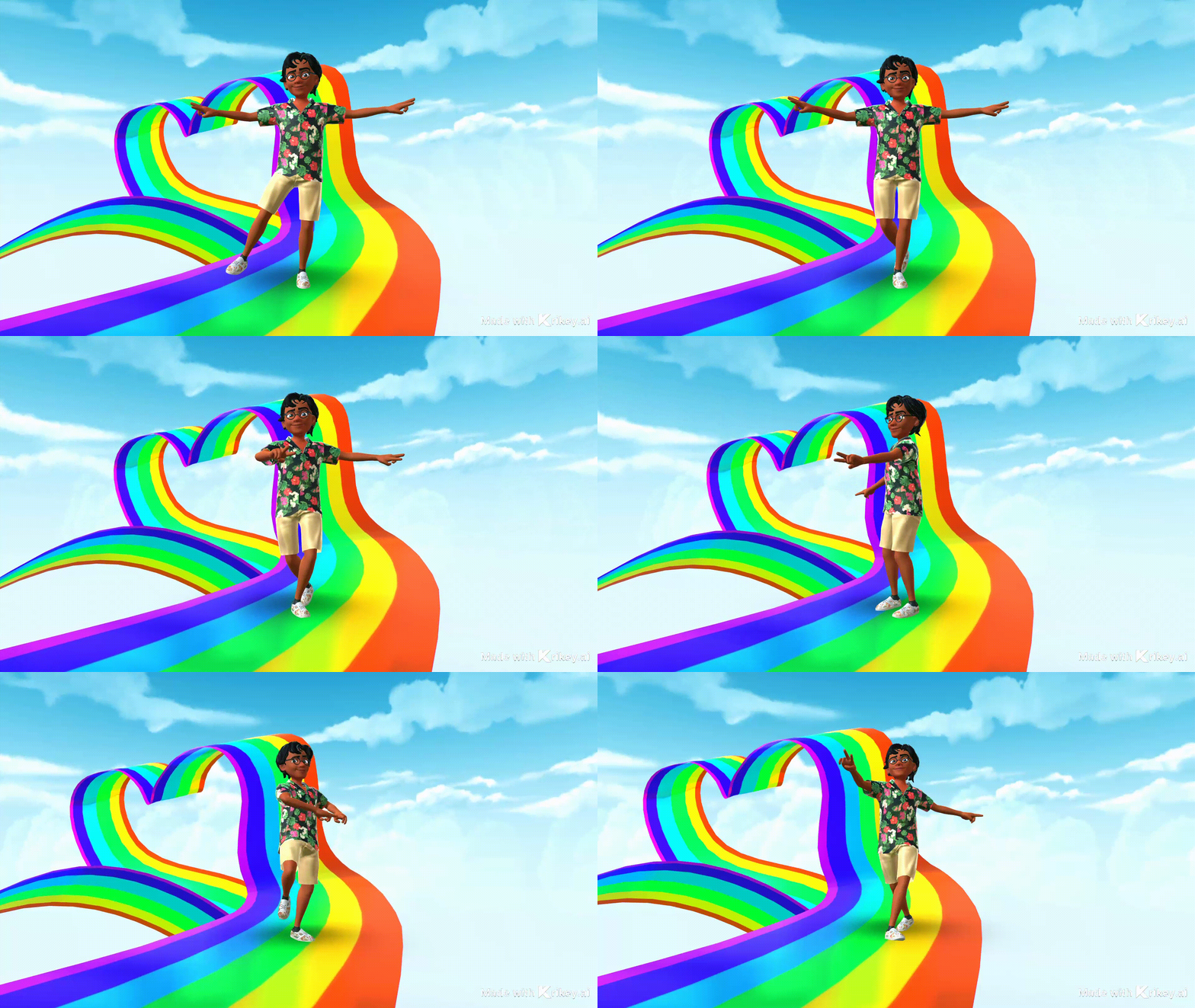
For example, select the Rainbow road background, and you can quickly and easily create Rainbow GIFs. You can also use the brightly colored background to make Love GIFs, Kawaii GIFs, or Happy GIF projects. It's easy to use GIF download and have multiple GIF options available in seconds with different 3D backgrounds.
Holiday GIFs: Make Seasonal Animated Graphics Year-Round
Every holiday season calls for beautiful, happy gift choices! Now you can make personalized happy holidays GIFs with Krikey AI and capture all the nuance of your family's inside jokes and your friend's hilarious sense of funny GIF humor.
Create Beautiful Holiday GIFs with Our Gif Maker
To make your own Beautiful holiday GIF in the Krikey AI 3D GIF maker tool, first go to www.krikey.ai and type in a prompt or select an existing project. In the left-hand bar, click the characters icon and select which character you would like to use or customize your own.
Then, go to the Animations tab and select the animation you want to use. Then go to the scene tab, select World, and change the background of your character to the holiday season that you want to highlight. Adjust your camera angles and then go to the top right corner to click Share >> Download >> Download GIF. Share with friends, family, and on social media, or in your company's Slack or newsletter!
Christmas GIF Generator Brings Holiday Cheer
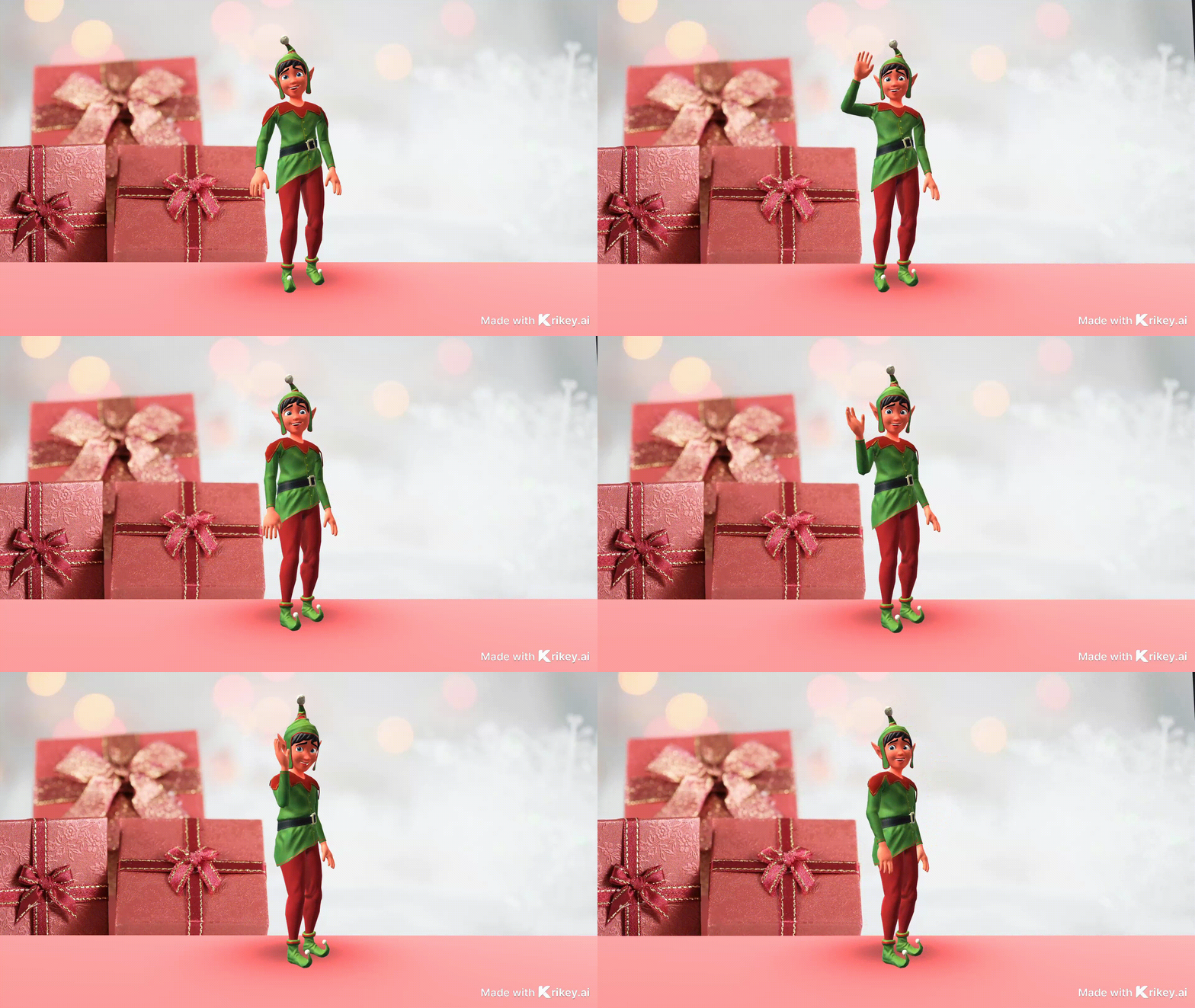
Create a custom 'Christmas is coming' GIF using Krikey AI 3D GIF maker tools. First, enter the Krikey AI video editor. Then, in the left-hand bar, click 'Characters'. You can choose the Elf character or make your own custom 3D cartoon character.
Then, go to the presentation icon in the left-hand bar and upload your own Christmas background. Alternatively, you can use our AI image generator to create your own Christmas background! Adjust the presentation screen, camera angles, and animation and facial expressions to make it perfect, and then download the GIF.
Valentine's Day Animated GIFs Express Love Perfectly
The best way to express love is with a Happy Valentine's Day funny gif made with Krikey AI 3D GIF maker! In the 3D video editor, type in a text prompt describing the Valentine's Day card you envision. Then, click on the Animations tab on the left-hand bar of icons. Click on the public animations tab and then click on the Invitation Maker animation pack.
In this animation pack, you will find the best animations for your Happy Valentine's funny gif – from Kiss to Happy Valentine's Day to Marriage Proposal, Heart Hands, Kpop heart hand gif, and more. Pair these with the sweetest facial expression, and you can download GIFs for Valentine's Day!
Merry Christmas GIF Maker Transforms Elves into Superheroes
Your Merry Christmas GIF game needs to be strong this year! What better way to express this than turning an animated Elf into a superhero? In the Krikey AI Video editor, first click the characters icon in the left-hand bar and then select the Elf Character. Then click the Animations tab, go to Public Animations, and click on the Superhero animation pack.
Every Elf is a superhero (or superheroine) who helps Santa make it around the world overnight! Create fun Superhero elf animations and the perfect Merry Christmas GIF download choices for your friends, family, social media, and school newsletter.
Halloween GIF Generator Creates Spooky Animations
Skeleton gifs and Skeleton memes are popular year-round, but if you are looking for the perfect Halloween gif, you have the choice between a Skeleton and a Witch in the Krikey AI 3D GIF maker! Go to the character icon in the video editor and select either the Skeleton or Witch. Then you can go to the Animation Tab and then click the Generate button. Here you can upload your own video to make a jumpscare GIF or a cool Zombie GIF using your body movements and the Krikey AI Skeleton or Witch cartoon characters. It's the spookiest Halloween GIF download.
Birthday GIF Creator Makes Celebrations Memorable
It's easy to create a Happy Early Birthday GIF using Krikey AI tools. Learn how to make a GIF in seconds using custom characters, animated text, and facial expressions. In just a few easy steps, you can download GIF clips to wish your friends and family a happy early birthday!
Step 1: Go to www.krikey.ai and click Get Started
Step 2: Sign up for free and open the 3D video editor
Step 3: Type in a prompt or select an existing project
Step 4: From the left-hand bar of icons choose your custom 3D character and animations.
Step 5: Change your background for the GIF and add animated text that says Happy early birthday!
Step 6: Go to the top right of the editor, click on Share and download GIF – now you can share it with your friends and family in seconds!
Birthday Animated GIFs Add Personal Touches
To make your own Birthday GIF in the Krikey AI 3D GIF maker tool, first go to www.krikey.ai and enter the 3D video editor. In the left-hand bar, click the characters icon and select which character you would like to use or customize your own.
Then, go to the Animations tab and select the birthday GIF animation you want to use. Then go to the scene tab and change the cute birthday wallpaper behind your character. Go to the top right corner to click Share >> Download >> Download GIF. Share with friends, family, and on social media or in your company Slack or newsletter!
Graduation GIF Maker Celebrates Achievements
Create a custom Funny graduation gif using Krikey AI 3D GIF maker tools. First, enter the Krikey AI video editor. Then, in the left-hand bar, click 'Characters'. You can choose the Skeleton gif or the Witch character, or make your own custom 3D cartoon character.
Then go to the presentation icon in the left-hand bar and upload your own funny graduation GIF background. Alternatively, you can use our AI image generator to create your own Graduation background! Adjust the presentation screen, camera angle, and animation, as well as facial expressions, to make it perfect, and then download the GIF.
Thanksgiving GIFs Express Gratitude
The best way to express gratitude is with a Happy Thanksgiving gif made with Krikey AI 3D GIF maker! In the 3D video editor, click on the Animations tab on the left-hand bar of icons. Click on the public animations tab and then click on the Invitation Maker animation pack.
In this animation pack, you will find the best animations for your Happy Thanksgiving GIF. Pair these with the sweetest facial expressions, and you can download GIFs for your family today!
Easter GIF Generator Features Hopping Characters
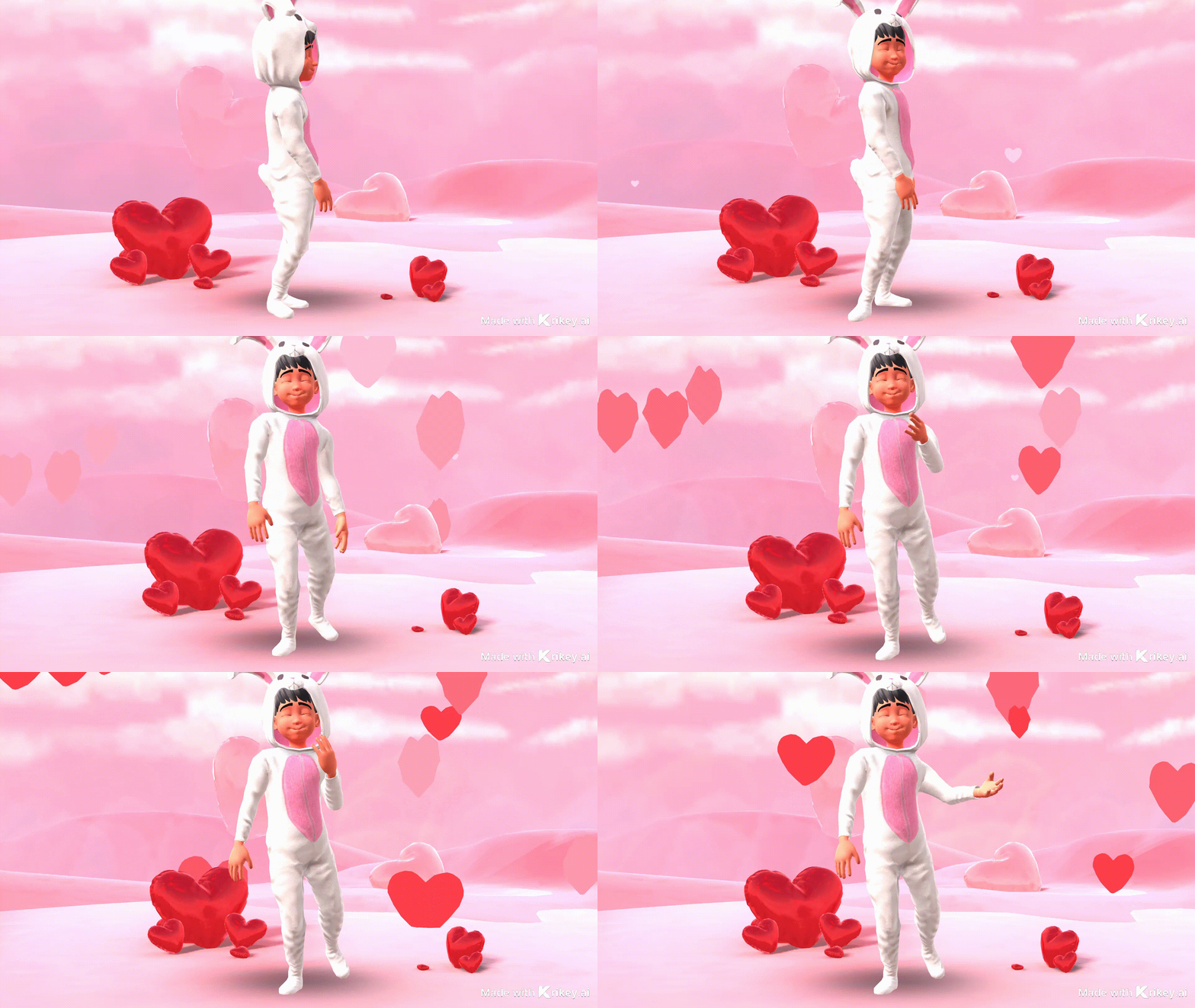
Your Easter GIF game needs to be hopping this year! What better way to express this than turning an animated Bunny costume character into a superhero? In the Krikey AI Video editor, first click the characters icon in the left-hand bar and then select the Bunny Costume Character. Then click the Animations tab, go to Public Animations, and click on the Superhero animation pack.
Every Bunny costumed character is a superhero (or superheroine) who helps distribute colorful eggs and candy! Create fun Superhero Bunny animations and the perfect Easter GIF download choices for your friends, family, social media, and school newsletter.
Bunny GIFs Bring Year-Round Cuteness
Bunny gifs are popular year-round, but if you are looking for the perfect Easter Bunny gif, go to the character icon in the Krikey AI video editor and select the Easter Bunny costume character. Then you can go to the Animation Tab and then click the Generate button. Here you can upload your own video to make a cute Easter GIF. AI generates a cute Easter wallpaper background and automatically downloads your Bunny GIF!
Rainbow GIFs Celebrate Pride Season
Share love in Pride season with a Rainbow GIF made with Krikey AI 3D GIF maker! In the 3D video editor, click on the Animations tab on the left-hand bar of icons. Click on the public animations tab and then click on the Invitation Maker animation pack.
In this animation pack, you will find the best animations for your Rainbow gif – from Kiss to Happy Valentine's Day to Marriage Proposal, Heart Hands, Kpop heart hand gif, and more. In the scene tab, go to World and select the Rainbow 3D background. This is a cute wallpaper with brightly colored rainbow prisms. Pair these with the sweetest facial expressions, and you can download GIFs for Pride month!
Mother's Day GIF Maker Honors Special People
Moms (or mother figures) are our superheroes! Turn mom into an animated superhero. In the Krikey AI Video editor, first click the Characters icon in the left-hand bar and then create a custom 3D character that resembles Mom. Then click the Animations tab, go to Public Animations, and click on the Superhero animation pack. Create fun Superhero Mom animations and the perfect Mother's Day GIF download choices for your friends, family, social media, and school newsletter.
Dancing Skeleton GIFs Add Fun to Messages
It's easy to make a Dancing skeleton GIF using Krikey AI tools. Learn how to make a dancing skeleton GIF in seconds using custom 3D characters, animated text, and facial expressions. In just a few easy steps, you can download GIF clips to send dancing skeleton GIFs to your friends and family!
Step 1: Go to www.krikey.ai and click Get Started
Step 2: Sign up for free and open the 3D video editor
Step 3: From the left-hand bar of icons, choose your custom 3D character and animations - we have a great 3D skeleton cartoon character.
Step 4: Change your background for the GIF and add animated text to your dancing skeleton GIF!
Step 5: Go to the top right of the editor, click on Share, and download GIF – now you can share it with your friends and family in seconds!
Daily GIFs: Create Animations for Everyday Communication
Learn how to make GIFs for daily GIFs and waving GIFs - great to use in your Welcome newsletter, on social media, or even on your business website! Learn how to make GIFs with custom characters for WhatsApp sticker packs and more.
Text-to-Animation Generator Makes Awesome GIFs
Make your own Awesome GIF using the Krikey AI 3D GIF maker. In seconds, you can choose a custom 3D character and create your own animation, no prior technical skill or animation knowledge required. Make a video of yourself doing the movement you want your cartoon character to do. Upload it to the Krikey AI video editor and click generate. Within seconds, you can apply that animation to your custom 3D cartoon character and download a GIF – make an awesome GIF to share with your friends and family in minutes!
Hi GIFs, Welcome Visitors with Style
A Hi GIF is the perfect way to open a newsletter, start a WhatsApp sticker pack or welcome people to your business website. To create your Hi GIF using the Krikey AI 3D GIF Maker, first go to the website www.krikey.ai and click Get Started. Sign in for free and choose or create your custom 3D cartoon character. Go to the Animations tab and select a public animation to make your Hi GIF – or upload a video of yourself waving and click generate. Your body motions can be turned into 3D cartoon character animation to make the best Hi GIF!
Good Day GIFs Spread Positivity
Cheer up your friends with a 'Have a good day' GIF. Create a custom cartoon character that resembles you, and then record yourself waving your hands or jumping for joy. Click generate in the Krikey AI 3D GIF maker and apply your animation to your custom cartoon character. Click 'Download GIF' and then share your 'Have a good day' GIF with friends and family!
Meme Generator Creates Relatable Content
When you're exasperated and need to send a 'Fine, I'll do it myself' GIF, use the Krikey AI 3D GIF Maker to capture the perfect blend of bored and annoyed facial expressions. Drag facial expression clips to slightly overlap to achieve smooth transitions that you can use before downloading GIFs. The 'Fine, I'll do it myself' GIF is a classic - use the Krikey AI tools to customize yours!
Congrats Meme GIFs Celebrate Achievements
Send a Congrats meme gif to your friends who just accomplished something amazing! To create your congratulations meme GIF, go to the Krikey AI 3D GIF maker, choose a custom character, animation, and maybe some animated text. Arrange the characters and personalized cute wallpaper backgrounds to create the perfect congratulations meme GIF. Click download gif and share with friends and family in seconds!
Thank You GIFs Express Appreciation
Expressing gratitude is essential, even with a thank-you gift (if not a handwritten thank-you letter!) – in fact, thank-you gifts are great for WhatsApp messages! Find the best animations for your thank you gif at Krikey AI 3D GIF maker – from Kiss to Happy Valentine's Day to Heart Hands, Kpop heart hand gif, and more. Match with smiling and happy facial expressions, and you can download GIFs for a quick thank you message to your friends and family!
Funny GIF Maker Generates Laughter
Learn how to make GIF clips using Krikey AI Video to Animation Tools. Make a funny GIF in minutes using the Krikey AI 3D GIF maker. Choose a custom 3D character and create your own animation. Make a video of yourself doing something funny that you want your cartoon character to do. Upload it to the Krikey AI video editor and click generate. Within seconds, you can apply that animation to your custom 3D cartoon character and download a GIF – make a funny GIF to share with your friends and family in minutes
Happy Friday GIFs Welcome the Weekend
The weekend is almost here! Nothing says that better than a Happy Friday gif. Choose your cartoon character, animation, and even add some animated text, to quickly create your personalized Happy Friday GIF using Krikey AI Video Editor. In seconds, you can download a GIF and share it with friends, family, and on Slack with your team!
Anniversary GIFs Make Occasions Special
Forgot a card? Send a happy anniversary gif with custom cartoon characters! Create a custom cartoon character that resembles you, and then record yourself waving your hands or jumping for joy. Click generate in the Krikey AI 3D GIF maker and apply your animation to your custom cartoon character. Add animated text to your Happy Anniversary gif, and in seconds, you have the perfect, personalized anniversary gif to share. Click download GIF and then share your Happy Anniversary GIF with friends and family!
Happy Dance GIFs Celebrate Good News
Learn how to make GIF clips using Krikey AI Video to Animation Tools. Create a happy dance GIF in minutes using the Krikey AI 3D GIF maker. Choose a custom 3D character and create your own animation. Make a video of yourself doing a happy dance that you want your cartoon character to do. Upload it to the Krikey AI video editor and click generate. Within seconds, you can apply that animation to your custom 3D cartoon character and download a GIF – make a happy dance GIF to share with your friends and family in minutes!
Thumbs Up GIFs Give Quick Approvals
Text a thumbs-up gif to your friends! To create your thumbs-up GIF, go to the Krikey AI 3D GIF maker, choose a custom character and animation, and then go to the hand gestures tab. Choose the thumbs-up cartoon hands for the left and right hands. Arrange the character and personalized cute wallpaper backgrounds to make the perfect customized thumbs-up GIF. Click download gif and share with friends and family in seconds!
Welcome GIFs Greet New Visitors
A welcome GIF is the perfect way to open a newsletter, start a WhatsApp sticker pack, or invite people to your business website. To create your Welcome GIF using the Krikey AI 3D GIF Maker, first go to the website www.krikey.ai and click Get Started. Sign in for free and choose or create your custom 3D cartoon character. Go to the Animations tab and select a public animation to make your Welcome GIF, or upload a video of yourself waving and click 'Generate'. Your body motions can be turned into 3D cartoon character animation to create the best welcome GIF!
Hello GIFs Start Conversations
Say good morning with a custom Hello gif. Create a custom cartoon character that resembles you, and then record yourself waving your hands or jumping for joy. Click generate in the Krikey AI 3D GIF maker and apply your animation to your custom cartoon character. Click download GIF and then share your Hello GIF with friends and family!
Waving GIFs Bring Friendly Gestures to Life
Learn how to make GIF clips using Krikey AI Video to Animation Tools. Make a waving GIF in minutes using the Krikey AI 3D GIF maker. Choose a custom 3D character and create your own animation, or choose the waving GIF from our public animation library. Make a waving GIF to share with your friends and family in minutes or to use on your business website!
Emotion GIFs: Upload and Design Expressive Animations
Create emotion gifs with different facial expressions and custom 3D characters. GIF download is easy with Krikey AI 3D GIF Maker - design your own characters, animations, and make personalized GIFs in minutes!
Happy GIFs Spread Joy with Our GIF Maker
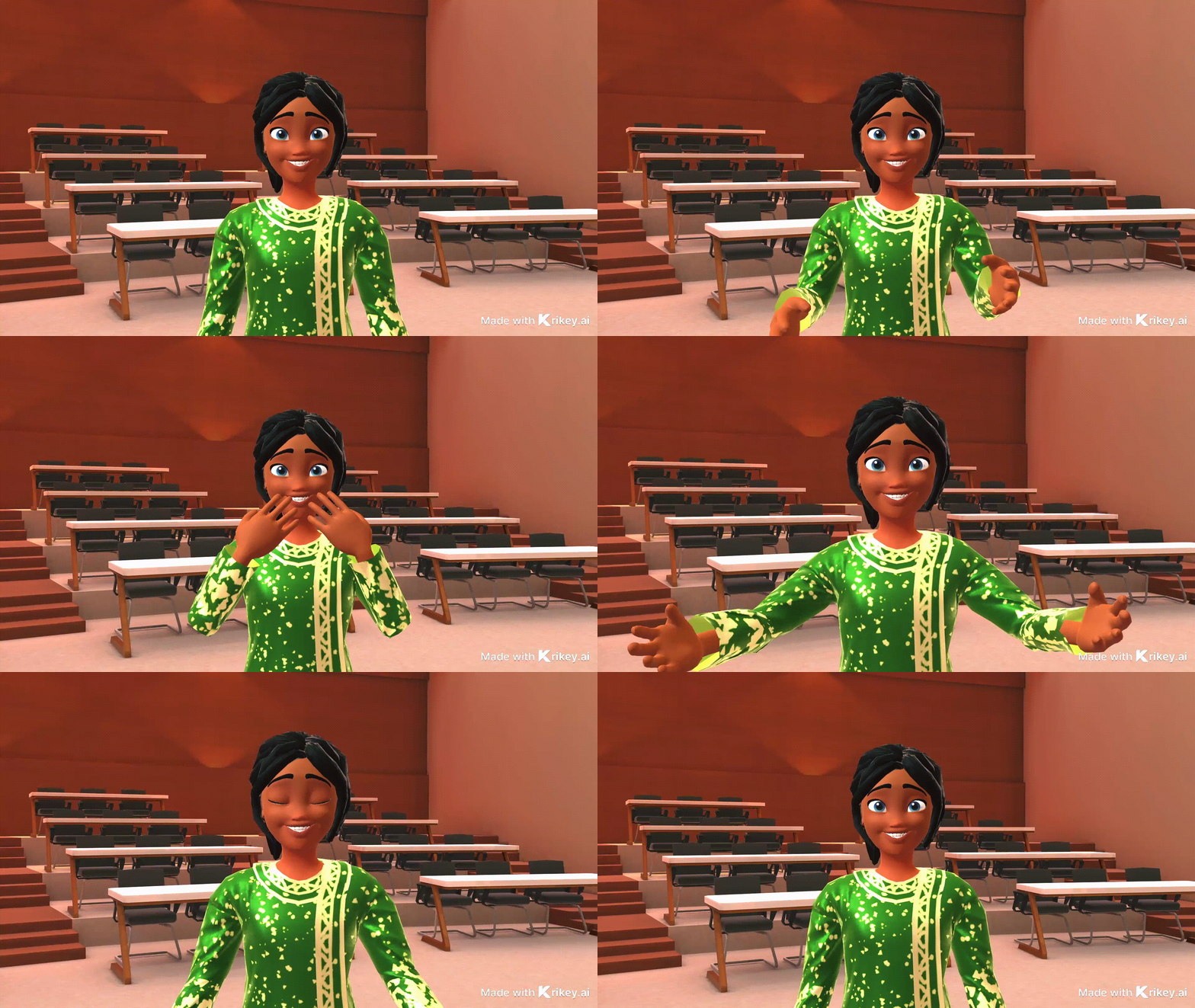
Learn how to make a GIF using Krikey AI 3D GIF Maker and make a happy GIF quickly and easily with custom 3D cartoon characters. To get started, visit www.krikey.ai and click "Get Started." Sign in for free to the 3D video editor. In the left-hand bar, click on the character to select your character. Then go to the face icon and select the Happy facial expressions. You can choose more than one facial expression and slightly overlap them in the timeline to have a smooth transition. Go to the top right corner and click "Share." Then, download the GIF and then share it with friends and family via text!
Crying GIFs Express Sadness
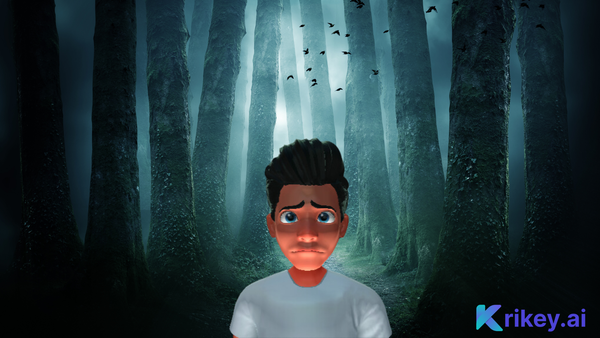
The Krikey AI 3D GIF Maker features a library of facial expressions for cartoon characters, helping you create personalized GIFs with custom facial expressions. For the crying GIF, you can try the facial expressions 'Aaa' or 'Awe'. Another great expression to try for a crying GIF is the sad expression or the pain expression. You can even choose more than one facial expression to make a compelling crying GIF.
Confused GIFs Show Bewilderment
Inside the Krikey AI Video editor, there is an extensive menu of face animations that can help you learn how to make a GIF and design the best confused GIF with a personalized cartoon character. In the face animator menu, you can try these facial expressions: Surprised, Confused, Bewildered, Astounded, and more to make your confused GIF. When ready, go to the top right and click Share, download the GIF to share with friends and family.
Sad GIFs Convey Disappointment
Make a custom sad GIF with your personalized animated cartoon character. In the Krikey AI face animator menu, you can try the facial expressions: Sad, Disappointed, Pain, Doubt, or Anxiety to create a sad GIF quickly. Overlap two or more of these expressions to show on your cartoon character's face the best expressions for a sad GIF. Click share, then download the GIF to text this sad GIF to friends and family.
Yay GIFs Celebrate Excitement
Excitement is contagious, and a smiling cartoon gif is a great way to get your friend group or your team pumped up! To create your Yay GIF, go to the Krikey AI video editor, select a custom cartoon character, and then explore the facial expressions menu. Try these facial expressions: Happy, Desire, Elated, Smile, and Interest to express your excitement. Create a yay GIF in seconds and then download it to share with your team on Slack!
Shocked GIFs React to Surprises
In the Krikey AI video editor, there is a robust face animator menu with expressions such as fear, doubt, scream, surprise, terror, and more. Choose a custom character and facial expressions to match. Learn how to make GIF clips and create a personalized shocked GIF that you can share with your team on Slack or with friends and family in minutes.
Love GIFs Share Affection Year-Round
Give love year-round with a love gift made with Krikey AI 3D GIF maker! In the 3D video editor, click on the Animations tab on the left-hand bar of icons. Click on the public animations tab and then click on the Invitation Maker animation pack.
In this animation pack, you will find the best animations for your love gif – from Kiss to Happy Valentine's Day to Marriage Proposal, Heart Hands, Kpop heart hand gif, and more. In the scene tab, go to World and select the Rainbow 3D background. This is a cute wallpaper with brightly colored rainbow prisms. Pair these with the sweetest facial expressions, and you can download GIFs for love anytime of the year.
Thinking GIFs Ponder Questions
Send a thinking GIF made with Krikey AI 3D GIF maker! In the 3D video editor, click on the Animations tab on the left-hand bar of icons. Click on the "Public Animations" tab and then select the "Teaching Animation Pack."
In this animation pack, you will find the thinking animation for your thinking GIF. In the scene tab, go to World and select the college classroom or home office background. This is a cute wallpaper with educational vibes. Match these with thoughtful facial expressions, and you can download GIFs!
Tired GIFs Express Exhaustion
It's easy to create a tired GIF using Krikey AI tools. Learn how to make a tired GIF in seconds using custom 3D characters, animated text, and facial expressions. It's just a few easy steps! You can download GIF clips to send to your friends and family!
Step 1: Go to www.krikey.ai and click Get Started
Step 2: Sign up for free and open the 3D video editor
Step 3: From the left-hand bar of icons, choose your custom 3D character and animations - we have a great 3D skeleton cartoon character.
Step 4: Change your background for the GIF and add animated text to your tired GIF!
Step 5: Go to the top right of the editor, click on Share, and download GIF – now you can share it with your friends and family in seconds!
Jumpscare GIFs Startle and Surprise
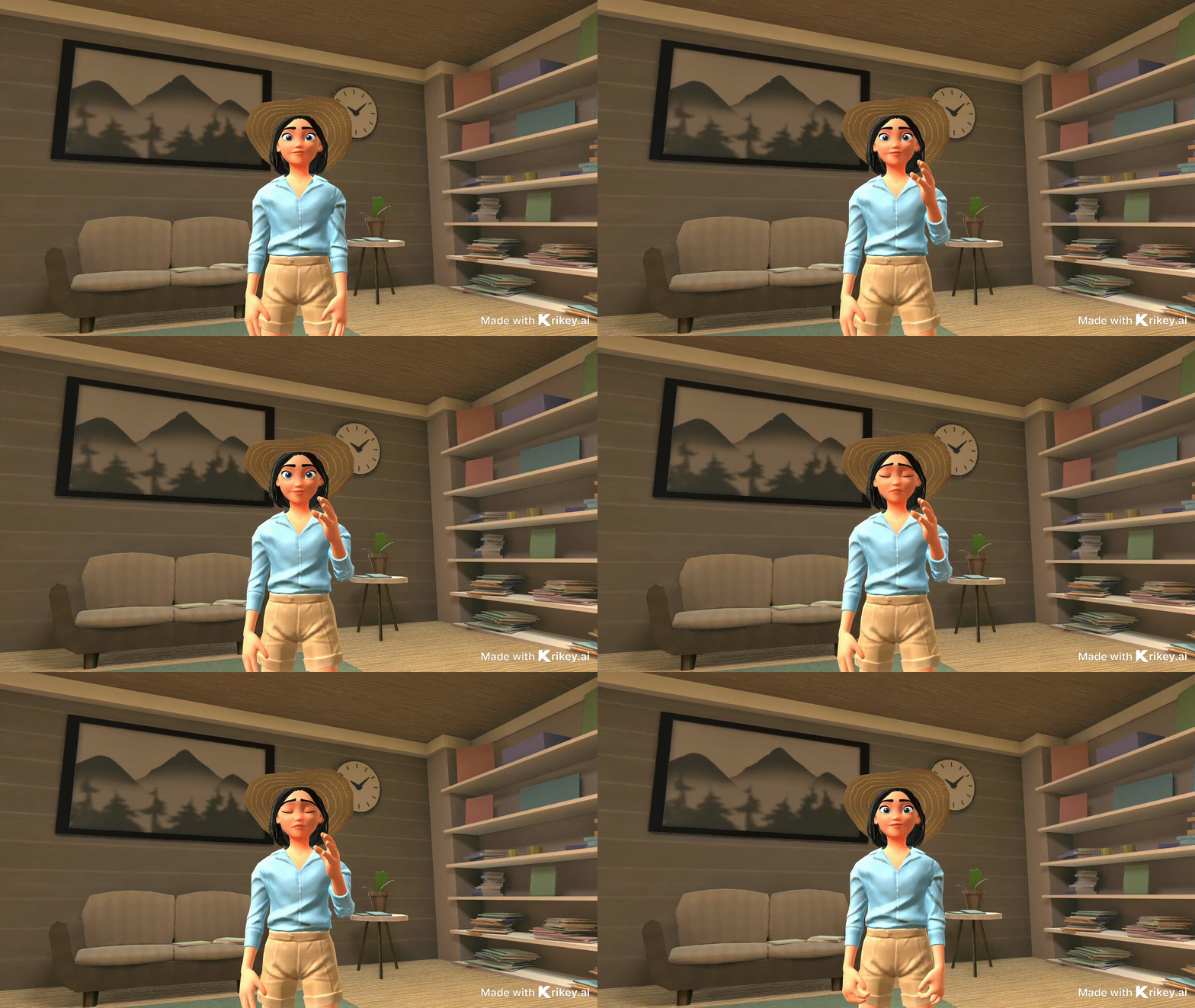
Design a Jumpscare GIF in the Krikey AI 3D GIFmaker. Choose a custom 3D character and create your own animation, no skill required. Create a video of yourself performing the jumpscare movement you want your cartoon character to replicate. Upload it to the Krikey AI video editor and click generate. Within seconds, you can apply that animation to your custom 3D cartoon character and download a GIF – make an awesome jumpscare GIF to share with your friends and family in minutes!
Angry GIFs Show Frustration
Fire up your team with an Angry GIF - use the Krikey AI 3D GIFMaker facial expressions to capture the perfect blend of terror and anger. Drag facial expression clips to slightly overlap to achieve smooth transitions that you can use before downloading GIFs. The Angry gif is a classic - use the Krikey AI tools to customize yours!
Smile GIFs Brighten Anyone's Day
Sending a smile can put a smile on anyone's face – in fact, smile gifs are great for WhatsApp messages to cheer up friends and family! Find the best smile facial expressions for your smile GIF at Krikey AI 3D GIFmaker – from Smile to Happy to Desire and more. Download GIFs for a quick smile and send a GIF message to your team on Slack or to friends and family!
Surprised GIFs React to Unexpected News
Learn how to make a GIF using Krikey AI 3D GIFMaker and make a surprised GIF in seconds with unique 3D avatars. Visit www.krikey.ai and click "Get Started" Enter the 3D video editor, type a prompt and click character to select your character once your video has loaded. Then go to the face icon and select the surprised facial expressions. You can choose more than one facial expression and slightly overlap them in the timeline to have a smooth transition. Go to the top right corner and click "Share," download the GIF and then share it with friends and family via text!
Scream GIFs Express Shock
The Krikey AI 3D GIFMaker features a library of facial expressions for cartoon characters, helping you create personalized GIFs with custom facial expressions. For the scream GIF, you can try the facial expressions 'Aaa' or 'Scream'. Another great expression to try for a scream GIF is the surprised or elated one. You can even choose more than one facial expression to make a compelling scream gif.
Ugh GIFs Show Frustration
When you're frustrated and need to send a 'ugh' GIF, use the Krikey AI 3D GIFMaker to capture the perfect blend of bored and annoyed facial expressions. Drag facial expression clips to slightly overlap to achieve smooth transitions that you can use before downloading GIFs. The 'ugh' GIF is a classic - use the Krikey AI tools to customize yours!
Funny Dancing GIFs Entertain Friends
Learn how to make GIF clips using Krikey AI Video to Animation Tools. Create a funny dancing GIF in seconds using the Krikey AI 3D GIFmaker. Choose a custom 3D character and create your own animation. Make a video of yourself doing a funny dance that you want your cartoon character to do. Upload it to the Krikey AI video editor and click generate. Within seconds, you can apply that animation to your custom 3D cartoon character and download a GIF – make a funny dancing GIF to share with your friends and family in minutes!
No No No GIFs Disagree Politely
In the Krikey AI animation pack for teaching, you will find the disagreeing animation for your no no no gif. In the hand gestures tab, select the point animation and make the perfect no no no gif in seconds. Match these with no no no gif facial expressions and you can download GIFs!
Anime GIFs: Create Stunning Animated Graphics
Make Anime GIFs with custom animations and face animator expressions using the Krikey AI 3D GIFmaker. It's easy to do GIF downloads using the Krikey AI share menu – you can download GIFs of custom cartoon characters, personalized AI Animations, and a lot of funny GIF facial expressions.
Anime GIF Maker Brings Japanese Animation Style
Learn how to create GIF anime using Krikey AI tools. Go to the character tab in the Krikey AI video editor and choose one of the anime boy or anime girl characters to make Anime gifs. In just a few easy steps, you can download GIF clips of Anime characters and send custom anime GIFs to your friends and family!
Step 1: Go to www.krikey.ai and click Get Started
Step 2: Sign up for free and open the 3D video editor
Step 3: From the left-hand bar of icons, choose your custom 3D character and animations - we have a great selection of anime boy and anime girl characters.
Step 4: Change your background for the GIF and add animated text to your animeGIF!
Step 5: Go to the top right of the editor, click on Share, and download GIF – now you can share it with your friends and family in seconds!

Anime Fight GIFs Show Action Sequences
Message friends an Anime fight gif made with Krikey AI 3D GIFmaker! In the 3D video editor, click on the Animations tab on the left-hand bar of icons. Click on the public animations tab and then click on the Anime action animation pack.
In this animation pack, you will find the Anime Fight animations for your Anime Fight GIF. In the Face tab, select Anime Fight gif facial expressions. You can generate cute wallpaper with an Anime vibe for the background of your GIF. Match these with fighting cartoon hands, and you can download Anime GIFs!
Anime Wallpaper GIFs Create Beautiful Backgrounds
In the present tab, go to Generate and type in text to generate an Animeimage-style background. Use the slider bars to customize this background and make it fill the screen behind the anime boy or anime girl character. Use animations to create a cute anime GIF wallpaper. Pair these with the sweetest facial expressions, and you can download GIFs for Anime fans!
Anime Dance GIFs Bring Movement to Characters
Design an Anime dance GIF in the Krikey AI 3D GIFmaker. Choose a custom 3D Anime boy or Anime girl character and create your own animation, no skill required. Make a video of yourself doing the Anime dance movement you want your cartoon character to do. Upload it to the Krikey AI video editor and click generate. Within seconds, you can apply that animation to your custom 3D Anime cartoon character and download a GIF – make an awesome Anime dance GIF to share with your friends and family in minutes!
Kawaii GIFs Spread Cuteness
Sending a kawaii gif can put a smile on anyone's face – in fact, Kawaii gifs are great for WhatsApp messages to cheer up friends and family! Find the best kawaii facial expressions for your Kawaii gif at Krikey AI 3D GIFmaker – from Smile to Happy to Desire and more. Download GIFs for a quick Kawaii GIF message to your team on Slack or to friends and family!
Peace Out GIFs Say Goodbye with Style
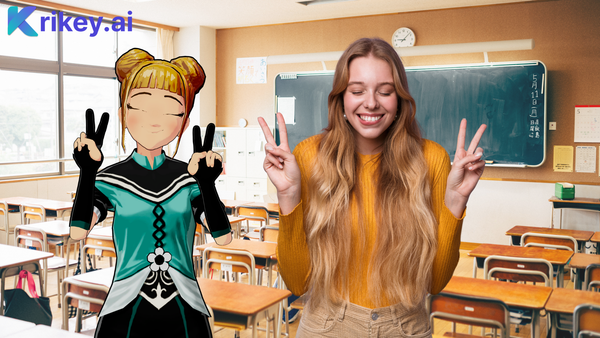
In the Krikey AI animation pack for invitations, you will find the Heart Hands animation for your Peace out gif. In the hand gestures tab, select the peace hand gestures for the left and right hands and create the perfect peace out GIF in seconds. Match these with peace out GIF facial expressions, and you can download GIFs!
Frequently Asked Questions
How Does the AI GIF Maker Convert Text to Animated Graphics?
The Krikey AI GIF maker utilizes advanced animation technology to transform text descriptions or uploaded videos into 3D character animations. Simply upload your video or choose from pre-built animations, customize your character, and our tool will generate your animated GIF. You can also add text overlays and captions to create stunning GIFs that share your message across social media and messaging apps.
What Makes This GIF Generator Different from Other Creation Tools?
Our GIF generator offers unique 3D character customization that most online video editor platforms don't provide. You can design characters, swap facial expressions, change hand gestures, and adjust camera angles before you download. The converter can create professional animations from your videos in minutes, whereas free tools like Imgflip primarily focus on simple image editing. Our app gives you complete creative control to generate custom animated graphics.
Can I Use the Free GIF Maker for Commercial Projects?
Yes! The Krikey AI gif maker offers a free tier that allows you to create, design, and share gifs for both personal and commercial use. You can generate unlimited animations, upload videos to convert into GIFs, and make stunning animated graphics for your social media, marketing campaigns, presentations, and business websites. The online video editor provides professional-quality creation tools without requiring a paid subscription.
How Do I Convert My Video into an Animated GIF?
Converting video to GIF is simple with our AI-powered converter. Upload your video file to the online editor, select your 3D character, and click generate. The tool will analyze your video movements and apply them to your animated character. You can then edit the GIF by adjusting the speed, adding text overlays, or changing the background. Once satisfied, click the download button to save your animated GIF and share it on social media or via messaging apps.
What File Types and Images Can I Upload to Create GIFs?
The GIF generator accepts standard video formats, including MP4, MOV, and AVI files. You can upload video clips to convert into animations, or upload photos and images to use as backgrounds. The tool works best with videos that show full-body movements in good lighting. Once uploaded, you can edit your media, add animated text, swap backgrounds, and generate professional GIFs. The app provides all the tools needed to create and share stunning animated graphics online for free.
Final Thoughts: Your Complete GIF Maker Solution
Krikey AI 3D GIFmaker does not require any previous animation experience or technical knowledge to use. It's easy to get started and quick to GIF download, bringing your ideas to life. With custom cartoon characters and easy-to-use tools like facial expressions and camera angles, you can create the perfect, personalized GIFs and download GIFs within seconds for use in presentations, social media, WhatsApp messages, and more.