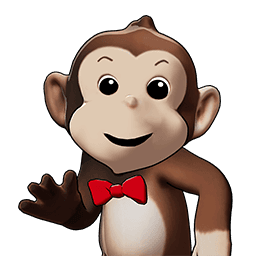
Cartoon Monkey 3D Model & Animations
Discover the perfect Cartoon Monkey for your games or social media. Krikey AI makes 3D animation easy for everyone, no experience required.
Motion Builder
Every creator can use Krikey AI's suite to easily animate this Cartoon Monkey 3D model for projects.
Unlock the Magic of Motion: Why Use Krikey AI for Your Cartoon Monkey
Preschool content creators, children's book illustrators, and toy designers can unlock the magic of motion using Krikey AI for their Cartoon Monkey projects. Bring stories to life by animating a monkey swinging through jungle scenes or performing educational gestures. For illustrators, this tool provides a dynamic way to preview character expressions before finalized drawings. Toy designers can use these 3D animations to showcase interactive play features in digital prototypes. Krikey AI makes it easy to transform static designs into engaging, animated content that captivates young audiences and streamlines your creative workflow.
- Rapid Prototyping: Skip the blocking phase by generating base movements via text or video.
- High Compatibility: Export clean FBX files designed for the Maya environment.
- Creative Freedom: Use AI to handle the physics of a jump or a dance, while you use Maya to focus on the character's facial acting and secondary motion.
Export your Cartoon Monkey for any Project
Flexible export options allow preschool content creators and illustrators to download Cartoon Monkey projects as MP4s, GIFs, FBX, or PNGs. These formats are perfect for digital books and toy prototypes, streamlining your creative storytelling.
The Fast Track to Beautiful Animation
Generate calm, helpful character motions in seconds with Krikey AI Animation. Quickly create peaceful Cartoon Monkey visuals that avoid chaos, perfect for educational stories and more.
The Universal Animation Library
Harnessing a massive motion capture dataset, Krikey AI Animation provides the ideal library for your Cartoon Monkey. This allows for precise control over gestures, ensuring a warm, educational presence that perfectly suits your creative project.
You might also like these Characters
Explore more Krikey Cartoon Characters that you can animate!

Cartoon Teacher Girl
Bring lessons to life with a 3D Cartoon Teacher Girl for e-learning and training. Ideal for educators. Create your animation now.
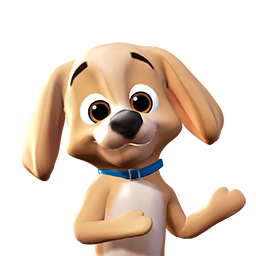
Cartoon Golden Retriever
Film social media clips and pet stories with this 3D Cartoon Golden Retriever for pet owners. Animate your dog character now.

Cartoon Baby Whale
Get 3D Cartoon Baby Whale animations for ocean educational videos or kids' stories. Ideal for teachers. Start your free animation now.
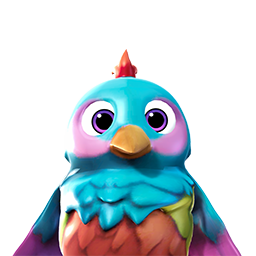
Cartoon Bird
Liven up your kids' apps or games with this 3D Cartoon Bird - Rainbow. Perfect for developers and educators. Create your free animation now.
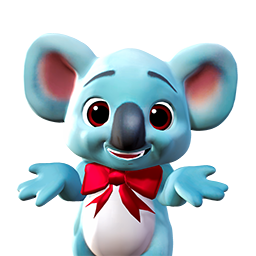
Cartoon Koala
Just animate this 3D Cartoon Koala for wildlife education or children's stories. Ideal for teachers. Start your free animation now.
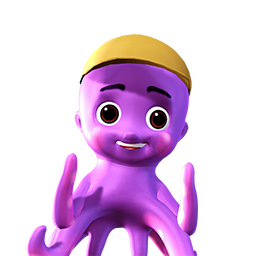
Cartoon Octopus
Easily animate a 3D Cartoon Octopus for marine games, educational videos, or social media. Ideal for kids' content creators. Start animating now.
How it works
How to animate a Cartoon Monkey with Krikey AI Animation
Choose a Character
Immediately select a character from the Krikey 3D Character Store to start your animation project. You can choose a Cartoon Monkey to begin right now.
Pick a Project Type
Just choose your project type in the Krikey AI editor, like talking avatars or music videos, to start animating your Cartoon Monkey with ease.
Type to animate 3D character
Keep your Cartoon Monkey active by entering a text prompt to create a talking 3D avatar, music video, or video podcast instantly with Krikey AI tools.
- Characterize the Krikey Skeleton: Define the imported joints as a "Source" character.
- Characterize Your Rig: Ensure your custom maya animation rigs are also characterized within the HIK panel.
- Map the Motion: Set your character's "Source" to the Krikey character. Your rig will immediately snap into the AI-generated pose and follow the motion perfectly.
More templates like this




Frequently Asked Questions (FAQs) about Cartoon Monkey 3D Animations
These are frequently asked questions about 3D Cartoon Character Store
How do I generate a 3D Cartoon Monkey animation using AI?
Can I export the 3D Cartoon Monkey model to Unity or Unreal Engine?
Is the Cartoon Monkey avatar optimized for mobile games?
Can I create an animated YouTube video starring this Cartoon Monkey?
Does the Cartoon Monkey character support lip-syncing?
Everything you need to animate anything
More integrations like this


