
How to Create Stunning Game Animation Videos using AI
Krikey AI provides tools for game animation, including free motion capture animations, AI Text to Animation, character pose generator for game marketing, dialogue for NPCs and more.

Key Takeaways on Game Animation
- Krikey AI offers tools for Game Animation and NPC dialogue, including a library of free motion capture animations for 3D character models.
- A key feature is the AI Text to Animation tool, which generates quick game animations for cut scenes from descriptive text prompts.
- Krikey AI also supports marketing through easily exportable GIFs and a character pose generator for high-resolution promotional images.
Ideas on How to Use AI for Game Animation
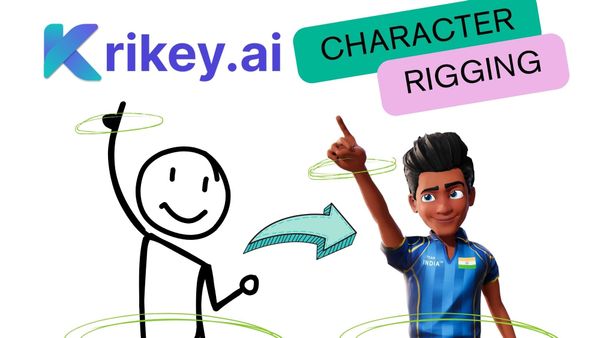
Krikey AI provides a robust suite of tools that revolutionize the creation of Game Animation concepts, game marketing and NPC (Non-Player Character) dialogue, making professional-grade animation tools accessible to game developers of all levels. To bring NPC characters to life, Krikey offers an expansive library of free motion capture animations. This resource allows for the instant application of realistic or stylized movements to 3D character models and Ready Player Me Avatars, drastically reducing the time and expense associated with manual keyframe animation and character rigging. A core feature is the AI Text to Animation tool. This innovative function enables developers to generate quick game animations for cut scenes simply by typing a descriptive text prompt. For instance, inputting "Wave excitedly and welcome new players into the jungle adventure game" instantly produces the corresponding animated sequence, perfect for dynamic, dialogue-driven moments. AI Video to Animation also enables quick and easy creation of custom animations.
Beyond in-game content, Krikey AI facilitates easy animation of game marketing campaigns; animations can be easily exported as high-quality GIFs for social media campaigns. Furthermore, the character pose generator is invaluable for promotional materials, allowing users to export high-resolution still images of game characters for use in poster art, promotional graphics, and social media announcements, ensuring visual consistency across all media.
Frequently Asked Questions (FAQs) about Game Animation
These are frequently asked questions about Game Animation
What software is commonly used in creating game animations?
Traditionally, game animation has relied on complex industry tools like Autodesk Maya, 3ds Max, and Blender for modeling, rigging, and animating characters. Game engines such as Unity and Unreal are then used to integrate those assets into gameplay — a workflow that can require advanced training and significant time.
Today, many creators prefer using Krikey AI animation software as a faster and more user-friendly alternative. Instead of manually keyframing or navigating steep software learning curves, Krikey AI allows users to generate polished character animations instantly from simple text prompts or AI-powered motion inputs. The whole team can quickly use the Krikey AI tool to animate talking characters, pose them for posters and export high resolution images, videos, FBX files and transparent GIFs in seconds.
What is the process involved in creating game animations?
The game animation pipeline typically begins with concept art and character modeling, followed by rigging, where digital skeletons are created to enable movement. Animators then develop locomotion, combat, interaction, or cinematic animations that match gameplay needs. Traditionally, this process can be time-intensive, but Krikey AI helps speed it up by generating ready-to-use animations and character rigging that can be refined, blended, and exported for game engines. Using AI-assisted animation allows creators to prototype faster, test gameplay loops sooner, and produce smoother, more dynamic animations.
What skills do I need to become a successful game animator?
A successful game animator typically needs a strong grasp of core animation principles—timing, weight, anticipation, squash and stretch—as well as an understanding of how characters move within real-time game engines.
However, modern workflows increasingly make room for AI-powered animation tools like Krikey AI, which help both beginners and professionals work faster and more intuitively. With Krikey AI, you can generate high-quality motion cycles, create animation variations, and rapidly iterate without needing deep technical expertise. This allows creators to focus more on storytelling, creativity, and gameplay needs rather than spending hours manually keyframing.
Collaboration and communication are still key, especially when working alongside designers, modelers, and engineers—but AI tools now make the animation portion of that process far more efficient and accessible.