
How to Master Facial Animation for Cute 3D Cartoon Characters
Learn how to edit facial animation on 3D Cartoon Characters using Krikey AI Animation. This AI tool has automated character rigging, lip-sync, and facial animation expressions without a steep learning curve.

Key Takeaways on Facial Animation
- Krikey AI Animation software allows creators to effortlessly control facial animation and automatically handles character rigging, lip-sync, and facial animation.
- The system eliminates the steep learning curve of traditional animation software, preparing 3D models for natural body movement.
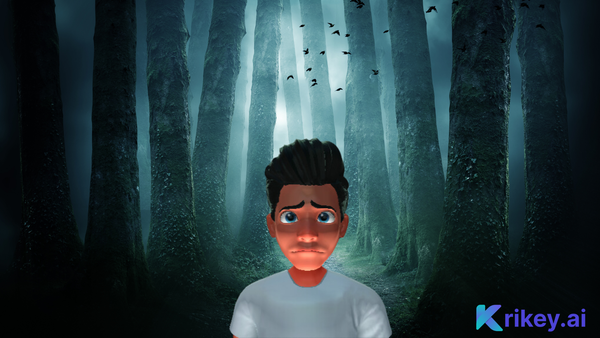
- Users can quickly apply preset facial expressions (like joy, surprise, concentration, or sadness) via a dedicated menu to create engaging content.
Ideas on How to Use Animation for Facial Animation
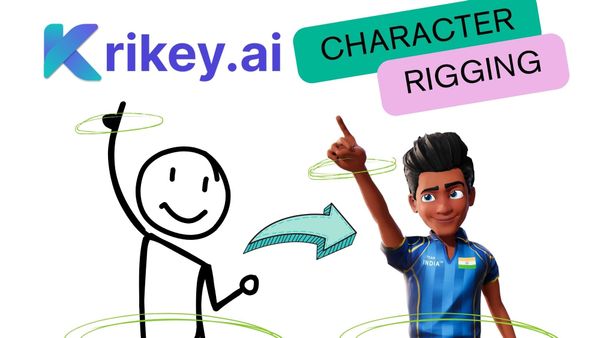
Krikey AI Animation software empowers creators with effortless control over the facial animation of their cartoon characters, ensuring stunning visual expressiveness without complex manual work. When a user selects any character from Krikey's extensive 3D cartoon character store, the system automatically handles critical setup steps. This includes automatic character rigging, which instantly prepares the 3D model for natural body movement, alongside seamless facial lip-sync and facial animation capabilities. This automatic preparation eliminates the steep learning curve associated with traditional animation software. Once a character is chosen or a custom character created, users can dive into a dedicated menu of facial animation options. This menu offers a variety of preset expressions—from joy and surprise to concentration and sadness—that can be immediately applied to the selected 3D model. This streamlined process allows creators to quickly imbue their characters with personality and emotion, making the animated content highly engaging for social media, explainer videos, or presentations. Krikey AI transforms character expression from a technical hurdle into an intuitive, creative choice.
Frequently Asked Questions (FAQs) about Facial Animation
These are frequently asked questions about Facial Animation
What is facial animation and how does it work in video games and films?
Facial animation is the process of bringing digital characters to life by simulating human expressions, emotions, and subtle facial movements. In games and films, this typically involves manipulating a detailed facial rig or using performance data to animate expressions. Creators may animate expressions manually, rely on motion-capture technology for realism, or use AI-assisted tools like Krikey AI, which can generate expressive facial animation from simple inputs, making the process faster and more accessible.
What are the key benefits of using facial animation in multimedia content production?
Facial animation enhances storytelling by allowing characters to convey emotion clearly and believably, increasing audience connection and immersion. It also provides flexibility—enabling creators to refine performances of animated cartoon characters without relying on expensive editing. With AI-powered tools such as Krikey AI, production teams can accelerate facial animation workflows, reduce repetitive manual work, and achieve consistent, high-quality expressions even with limited resources.
What examples of facial animation are in the Krikey AI Animation software?
Common facial animation examples in the Krikey Animation software include happy sad, fear, disgust, anger and more. Go beyond the core emotions with nuanced ones to convey specific messages in your animated videos. It's fun to play around with facial animation tools and quickly create customized facial animation videos of your brand character.